
CES - Customer Effort Score
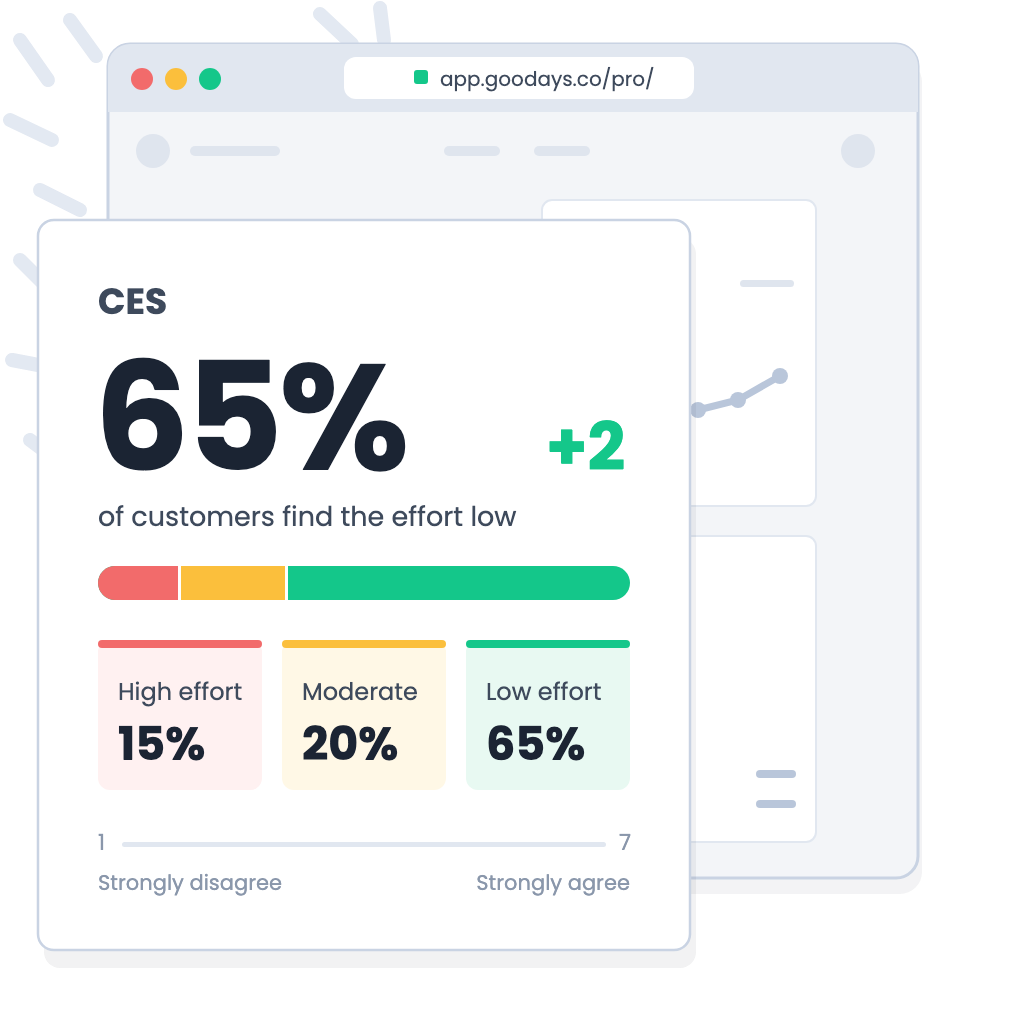
What's that?The CES (Customer Effort Score) measures the effort perceived by the end customer during a key interaction: solving a problem, completing a procedure, using a digital journey, or ordering a product or service.
The end customer is asked whether they agree with a statement, for example:
“It was easy to return my product.”
The answer is on a scale of 1 (Strongly disagree) to 7 (Strongly agree). A high score always means a low effort.The CES is used to sort answers into three effort levels:
- “HIGH EFFORT”, for a score between 1 and 3
- “MODERATE EFFORT”, for a score of 4 or 5
- “LOW EFFORT”, for a score of 6 or 7
That score can then be analyzed over any period of time or the focus can be narrowed to any given survey, a particular point of sale or any other analysis filter you wish to apply.
Going furtherConsult the general Metrics API documentation for more.
How do I get my CES?
With /stats/ces:
curl --location --request GET 'https://api.goodays.co/v2/stats/ces' \
--header 'Content-Type: application/json' \
--header 'Authorization: 1234abcd1234abcd1234abcd1234abcd'{
"data": [
{
"key": null,
"description": null,
"count": 200,
"avg": 5.6,
"high_effort": {
"count": 30,
"percentage": 15.0
},
"moderate_effort": {
"count": 40,
"percentage": 20.0
},
"low_effort": {
"count": 130,
"percentage": 65.0
}
}
]
}By default the calculation of the score is done "since always".
And the return will always contain:
| Attribute | Description |
|---|---|
| key | Distribution key ID. |
| description | Description of the distribution key. |
| count | Number of answers to "CES" questions in the selection over the requested period. This is a number of answers, not of participations: see below. |
| avg | Average CES score, out of 7. Calculated on all the answers of the selection, not as an average of the averages of each point of sale. |
| high_effort | Answers to "CES" questions with a score of 1 to 3. |
| moderate_effort | Answers to "CES" questions with a score of 4 or 5. |
| low_effort | Answers to "CES" questions with a score of 6 or 7. |
| count | Number of answers to "CES" questions observed over the requested period for the high, moderate or low effort level. |
| percentage | Percentage of answers to "CES" questions observed over the requested period for the high, moderate or low effort level.low_effort.percentage is the main CES KPI displayed in Goodays: the % of answers with a low effort. |
Zoom on "key" and "description" attributeThis attributes are only filled in when "by", "by_context" or "by_level_category" is used.
Otherwise they have the valuenull.
Answers, not participationsUnlike the NPS, a survey can contain several CES questions (for example one on the website and one on Customer Service). The CES is therefore calculated on answers: a participation that contains two CES questions counts as two answers in
countand in the effort levels.When your selection contains several CES questions, they are aggregated. To analyse one CES question on its own, use the
questionparameter.
Add some filters
It is possible to add GET parameters to refine the calculation of the score over a defined period, a point of sale...
GET parameters
To calculate a CES, it is possible to combine the following GET parameters:
| GET parameters | Description |
|---|---|
| begin | Start date of the calculation period. Format : YYYY-MM-DDThh:mm:ssZ See this page for the timezone management. |
| end | End date of the calculation period. Format : YYYY-MM-DDThh:mm:ssZ See this page for the timezone management. |
| place | Filter on a point of sale. It is necessary to indicate the Place ID from the endpoint /places |
| places | Filter on a list of points of sale. Format : Place IDs separated by commas |
| level | Filter on a level. It is necessary to indicate the ID of the level from the endpoint /levels |
| levels | Filter on a level list. Format : Level IDs separated by commas |
| survey | Filter on a survey. It is necessary to indicate the ID of the survey from the endpoint /surveys |
| question | Filter on a question, for example to isolate one CES question. It is necessary to indicate the ID of the question from the endpoint /surveys |
| remark_type | Filter on remark type : "Idea", "Message", "Praise", "Problem", "Question". |
| source | Filter on source : "email", "sms", "widget", "wifi"... |
| by | Group calculations by. See chapter by |
| by_context | Group calculations by custom parameter. See chapter by Context |
| by_level_category | Group calculations by level category. See chapter by Level Category |
Get an updated list of values for the "source" parameterThe examples listed for the "source" parameter are not exhaustive. To obtain an exhaustive list, the endpoint /stats/ces must be called by indicating an unexpected value. In return the error message will list all possible values.
Group calculations
The three "by" parameters allow you to retrieve a list of results aggregated according to the value selected in the input.
Combine the "by" or not combine the "by" ?You can combine several other GET parameters with a "by" but you can not combine the filters "by", "by_context" and "by_level_category" in a single request. Only one aggregation parameter is allowed.
Here are the 3 possibilities:
By
Calculate the CES by grouping elements and return a list.
The distribution of the calculation can be by : "day", "month", "place", "quarter", "remark_type", "source", "survey", "year".
See "By point of sale over the month of May 2026" use case.
By Context
Calculate the CES for each value of the custom parameter passed as a parameter and return a list.
A custom parameter is additional data attached to a participation to describe its context (order date, purchase amount, advisor...).
The list of your custom parameters depends on your Goodays configuration and can be retrieved by the endpoint configuration. Only the custom parameters with the field "use_in_stats" = true can be used with this parameter.
By Level Category
Calculate the CES by level category and return a list.
The categories represent your hierarchical or geographical organization depending on your Goodays configuration.
From these categories you can calculate the CES distributed by region, business unit, brand, etc.
The category ID to be used is returned by the endpoint /levels, in the "category_id" attribute.
Use cases
Here are some examples to show you the possibilities of this endpoint. This is obviously not exhaustive, it's up to you to have fun to find the right parameter arrangements :)
By point of sale over the month of May 2026
I have to use the following parameters :
- begin : the first date of the month of May
- end : the last date of the month of May
- by : group calculation by "place"
curl --location --request GET 'https://api.goodays.co/v2/stats/ces? \
   begin=2026-05-01T00:00:00Z \
   &end=2026-05-31T23:59:00Z \
   &by=place' \
--header 'Content-Type: application/json' \
--header 'Authorization: 1234abcd1234abcd1234abcd1234abcd'{
"data": [
{
"key": "egxK551kdo",
"description": "VÉLO Brest (Brest)",
"count": 120,
"avg": 5.9,
"high_effort": {
"count": 12,
"percentage": 10.0
},
"moderate_effort": {
"count": 18,
"percentage": 15.0
},
"low_effort": {
"count": 90,
"percentage": 75.0
}
},
{
"key": "bQdPLrmwd9",
"description": "VÉLO Chambéry (Chambéry) - velo-chambery",
"count": 80,
"avg": 5.1,
"high_effort": {
"count": 18,
"percentage": 22.5
},
"moderate_effort": {
"count": 22,
"percentage": 27.5
},
"low_effort": {
"count": 40,
"percentage": 50.0
}
}
]
}
Zoom on "by" parameterHere the "by" distributes the calculation by point of sale. The attribute "key" contains the Place ID of the point of sale and the "description" its name.
One CES question by month
A survey asks two CES questions: one about the website, one about Customer Service. I want the monthly CES of the Customer Service question only.
I have to use the following parameters :
- question : ID of the CES question
- by : "month"
Hypothesis: in our configuration the question ID "Q54E5XpK4y" is our statement "I easily got the help I needed from Customer Service."
curl --location --request GET 'https://api.goodays.co/v2/stats/ces? \
question=Q54E5XpK4y \
&by=month' \
--header 'Content-Type: application/json' \
--header 'Authorization: 1234abcd1234abcd1234abcd1234abcd'{
"data": [
{
"key": "2026-07",
"description": "2026-07",
"count": 64,
"avg": 4.8,
"high_effort": {
"count": 16,
"percentage": 25.0
},
"moderate_effort": {
"count": 16,
"percentage": 25.0
},
"low_effort": {
"count": 32,
"percentage": 50.0
}
},
{
"key": "2026-08",
"description": "2026-08",
"count": 50,
"avg": 5.3,
"high_effort": {
"count": 8,
"percentage": 16.0
},
"moderate_effort": {
"count": 12,
"percentage": 24.0
},
"low_effort": {
"count": 30,
"percentage": 60.0
}
}
]
}Updated 19 days ago